SRD Approved but No Payment Date: Why, and What to Do
Approval and payment are separate steps. A month shows Approved as soon as the eligibility checks pass, but a payment date is only assigned once SASSA schedules a batch and your bank account and identity are verified. Most gaps close on their own within days; a missing date after the month's payment run means one of five things below needs fixing.

Is it too early to worry?
SASSA releases payments in batches during the last part of each month, and dates are assigned individually as batches are scheduled. An approved month with no date in the first half of the month is normal. If none of the reasons below apply, check again after 3 to 5 working days.
Why has no payment date been assigned?
- Bank verification is still running
- New or changed banking details are verified with the bank before any date can be set. Full verification can take up to 21 working days; a banking change alone up to 7 working days.
- Your account cannot be paid
- SASSA cannot deposit into a dormant account, or one not in your own name. No date is assigned until an active account in your name is confirmed.
- An identity check is open
- If SASSA sent an SMS link for a selfie or eKYC verification, the month stays unpaid — even while showing Approved — until you complete it. Results reflect in 48 hours to 21 working days.
- The month was referred
- An extra identity or fraud check has paused payment. This cannot be resolved online; see referred status.
- The batch has not run yet
- No problem on your side — the date appears when scheduling reaches you.
What if an approved month shows a reason, such as "SRSASSA Incident"?
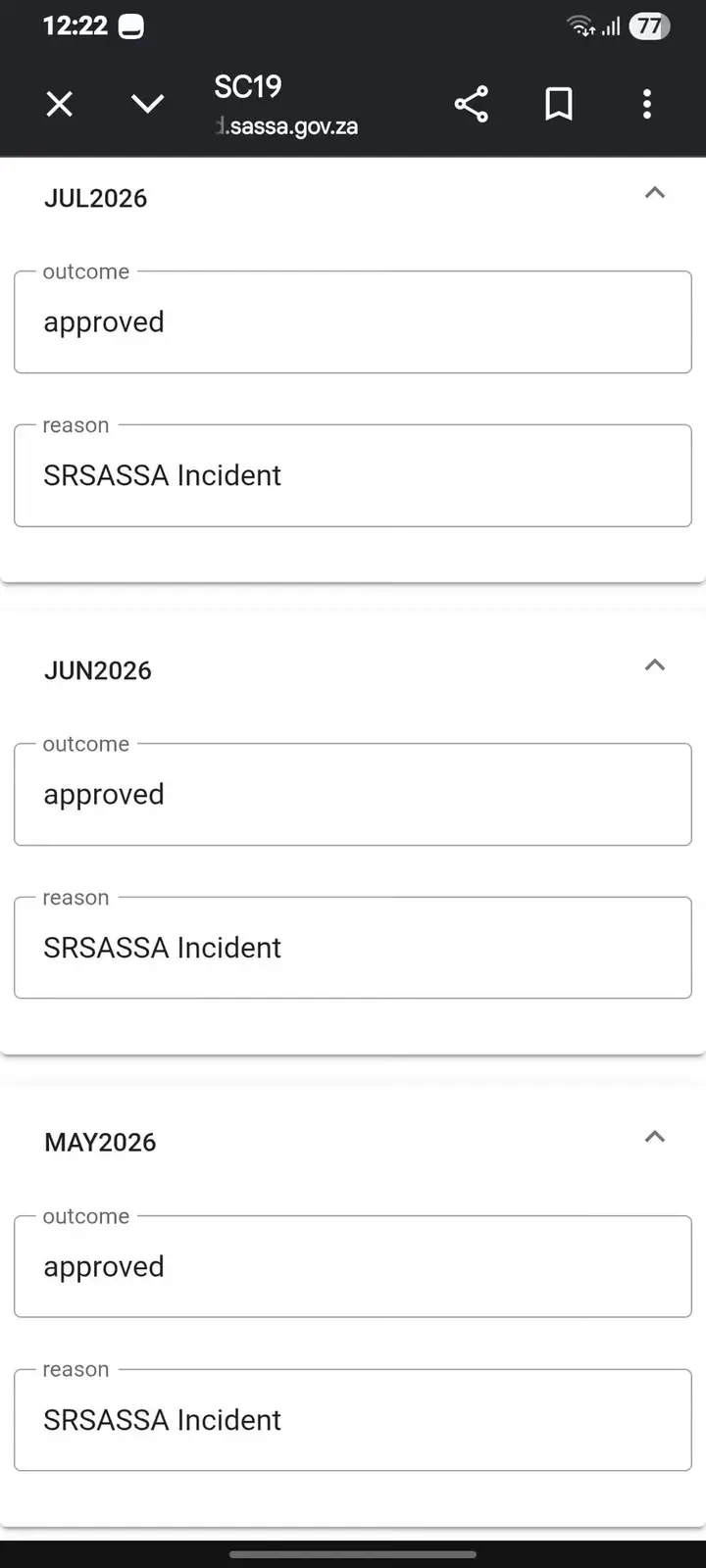
Some approved months show text in the reason box, as in the screenshot below. The outcome still reads approved, so the month has not been declined. SASSA has not published what each of these internal reason codes means. If a month like this still has no payment date after that month's pay run, work through the steps below, then call the toll-free line and ask specifically what the reason on that month refers to.
What should I do?
- Check your banking details on the official banking-details page. The account must be active and in your own name.
- Complete any verification link SASSA sent by SMS. Lost the SMS? Request a new one on the verification page.
- Wait 3 to 5 working days and check the status again.
- Call SASSA on 0800 60 10 11 (Monday to Friday, 08:00–16:00) with your ID ready, and ask specifically why no payday has been assigned for that month.
Once a date shows, when does the money arrive?
Funds usually reflect within 3 working days of the date shown, depending on your bank. If nothing has arrived after 3 working days, ask your bank first whether a deposit is pending, then report the missed payment for that month to SASSA on the toll-free line.
Why did the till say I do not have enough balance?
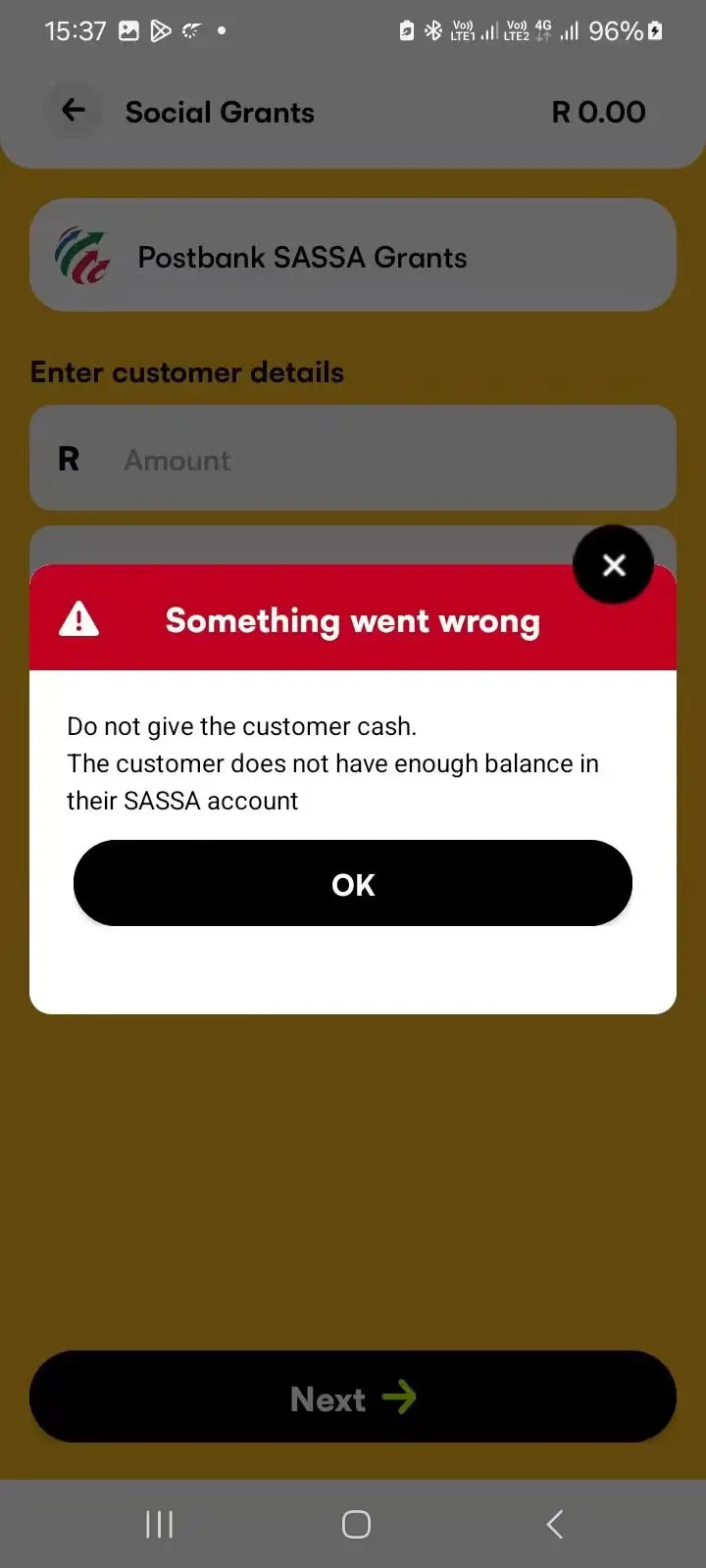
When you collect at a shop, the cashier's screen checks your SASSA account first. A message such as "The customer does not have enough balance in their SASSA account" means no grant money was in the account at that moment — most often because the payment has not been deposited yet. It does not, on its own, mean your grant was stopped. Check your status for a payment date, wait until that date has passed, and try again. If the date has passed and the balance is still empty after 3 working days, report it to SASSA.
Why did I get three R370 payments on the same day?
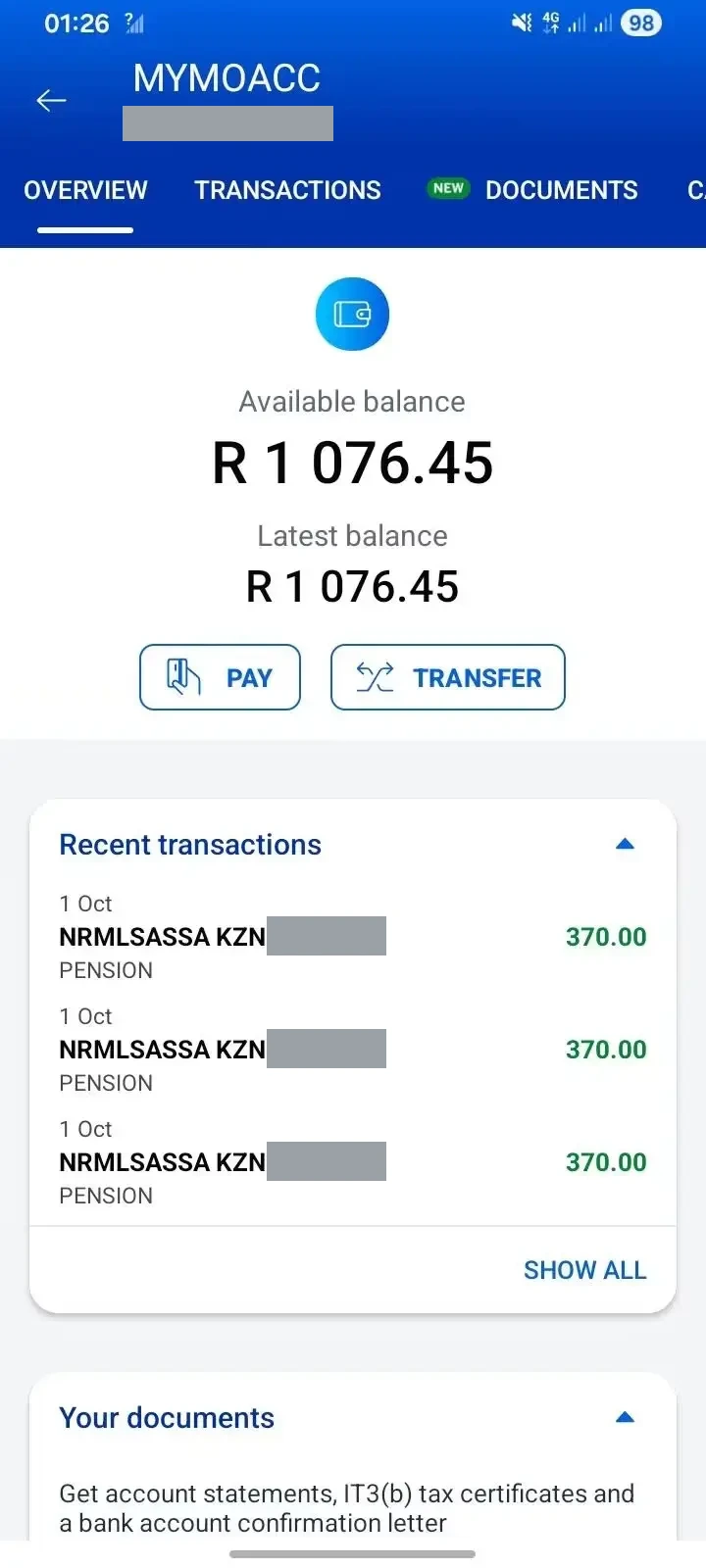
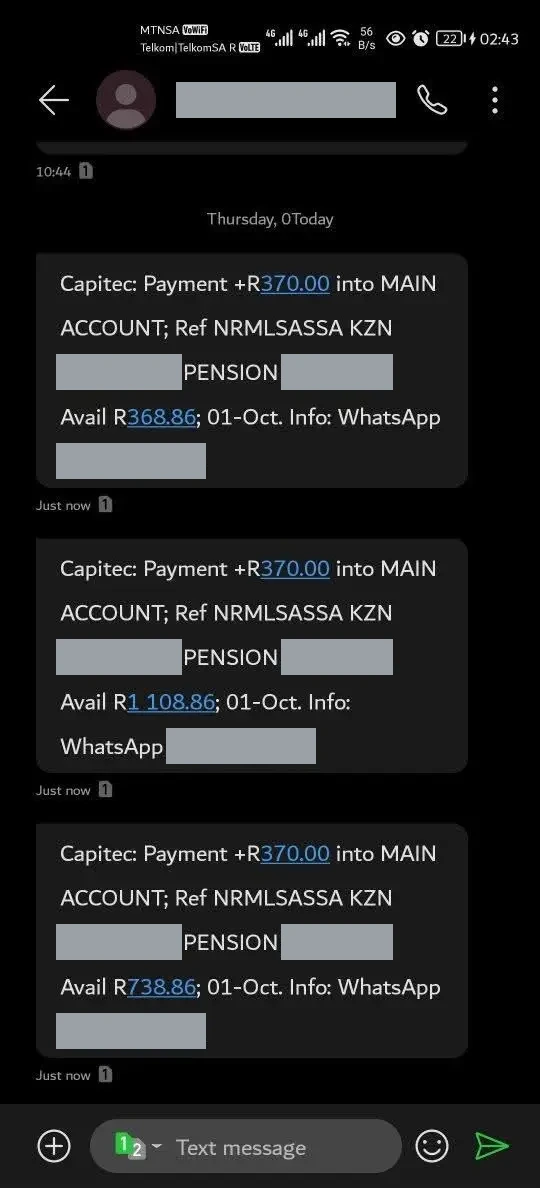
Two readers sent bank screens from 1 October 2026, one from a banking app and one from an SMS, that each show three separate credits of R370.00. Both carry a SASSA reference that begins NRMLSASSA KZN followed by a number, and the word PENSION. In the SMS the balance rises by R370 with each credit (R368.86, R738.86 and R1 108.86), so these are three payments, not one payment of R1 110.
SRD is assessed and paid one month at a time, so more than one R370 on a day can mean more than one month was released together — for example months that sat approved without a date, or pending, and were cleared in the same batch. A bank message cannot tell you which months, and SASSA has not published what each part of the reference stands for, so we do not guess.
How to check your own credits:
- Open your status on the portal. Each approved month lists its outcome and, once it is placed in a batch, a payment date. Match those dates to the credits on your bank statement.
- Count both sides. One R370 credit for each month whose date has passed is what you should see.
- Call if they do not add up. If a credit matches no month, or a month whose date has passed has no credit after 3 working days, call 0800 60 10 11 with your ID and the bank statement.
Keep the SMS or a screenshot, and hide your account number and payment references before you share it. Nobody can release extra or "back" SRD payments for a fee — a message offering to is a scam.
Common questions
My status says Approved but I have not been paid. Is something wrong?
Not necessarily. Approved means the checks passed; payment follows once a batch is scheduled and your bank and identity are verified. Work through the reasons above before calling.
I updated my banking details. Why is there still no date?
A banking change is verified with the bank before payment, which takes up to 7 working days. The date appears after that.
A date was shown but the money never arrived. What now?
Allow 3 working days. Then confirm with your bank that nothing is pending, and report the missed month to SASSA on 0800 60 10 11.
Why did I receive three R370 payments on the same day?
SRD is paid one month at a time, so three credits of R370 can mean three months were released together. A bank message does not say which months. Match the credits to the payment dates beside your approved months on the portal, and call 0800 60 10 11 if they do not add up.
Can I change my payment method after approval?
Yes, on the official banking-details page. The new method is verified before it is used, so expect a short delay.
Sources: srd.sassa.gov.za; SASSA payment and verification process. Last verified August 2026.
Reviewed by Haris Shafique, Editorial reviewer against official SASSA sources on . How we check our facts